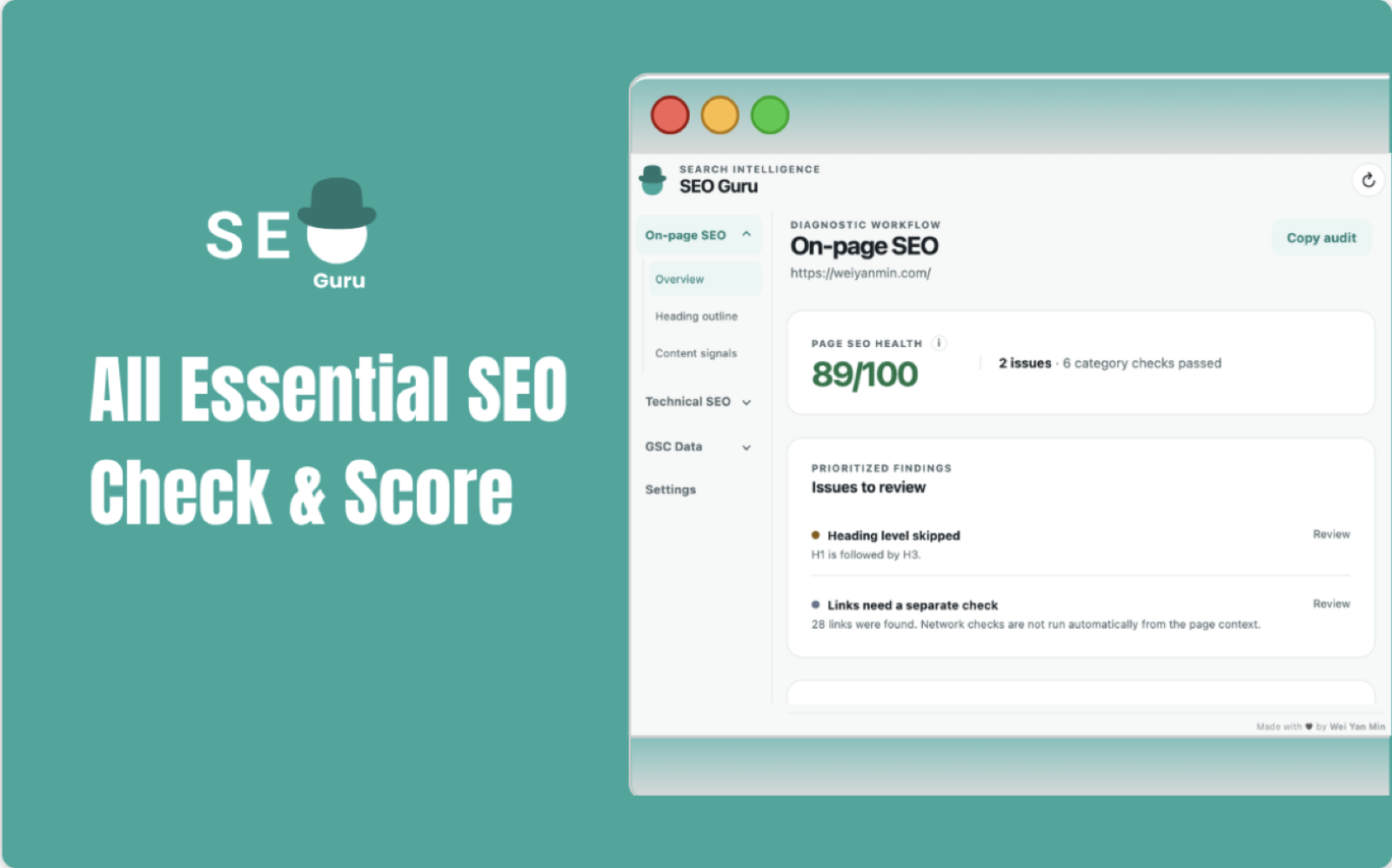
SEO Guru is a free SEO Chrome extension that combines Google Search Console data with on-page analysis, so you can understand and improve a page without leaving the page.
It is built by SEO specialist and digital marketer Wei Yan Min from years of practical SEO experience. The goal is simple: make important SEO checks easier to reach while you are already looking at the page you want to improve.
What is SEO Guru?
SEO Guru is a completely free SEO Chrome extension for marketers, writers, founders, and SEO professionals. It brings the checks you normally perform across several browser tabs into a focused panel that sits alongside the page.
You can review page titles, meta descriptions, headings, content signals, links, images, structured data, and URL signals. When you connect Google Search Console, you can also see clicks, impressions, CTR, position, queries, and URL Inspection details in the same workflow.
SEO work is easier when the evidence and the page are visible together. SEO Guru is designed to reduce the back-and-forth between a browser tab, an audit tool, and Google Search Console.
The feature I like most: keyword coverage
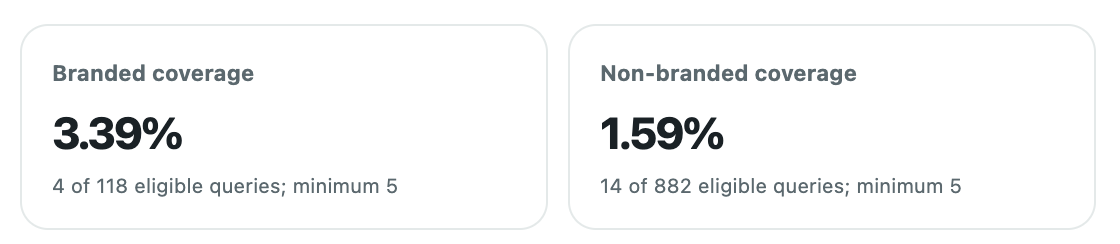
The most useful part of SEO Guru for me is the keyword coverage check. It helps you understand whether the page you are working on includes the important terms connected to the traffic opportunity you are investigating.
Coverage is grouped into branded and non-branded searches, which makes the report easier to interpret. You can separate queries that already include your brand from the broader, non-branded language people use when they discover a site. That gives you a clearer starting point for improving headings, copy, internal links, and supporting content.
Run URL Inspection while you browse
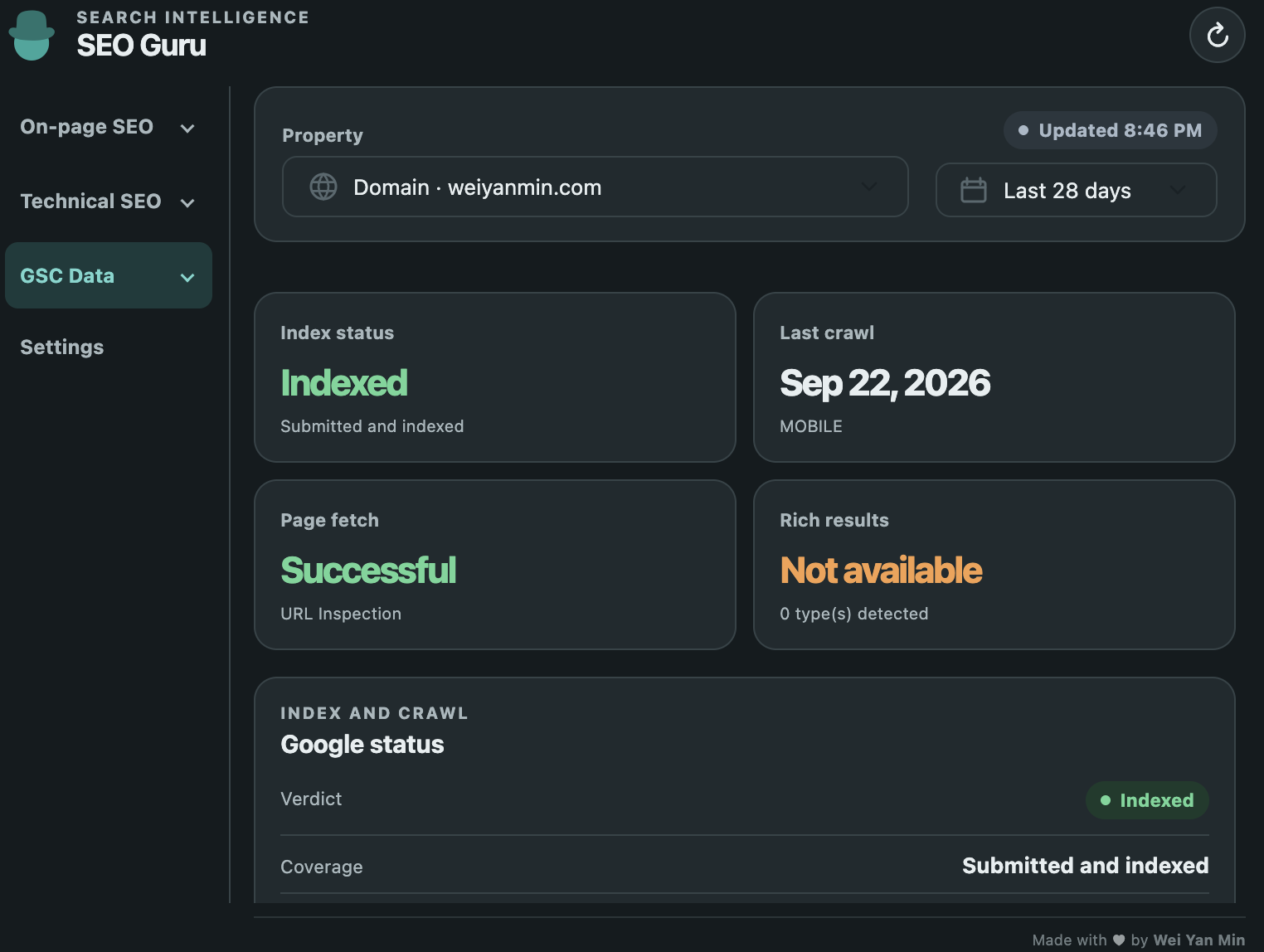
Another standout feature is direct URL Inspection when you connect SEO Guru to Google Search Console. Instead of leaving the page, opening Search Console, finding the right property, and pasting the URL, you can inspect the page from the browser workflow.
The report can help you check whether a URL is indexed and review important details about crawling, canonical URLs, and rich results. This is especially useful when you are checking a recently published page, investigating a traffic drop, or validating a technical SEO change.
Connect
Link your Google Search Console account and choose the relevant property.
Browse
Open the page you want to understand and launch SEO Guru from Chrome.
Inspect
Review indexing, crawling, canonical, rich result, and performance signals in context.
Everything SEO Guru includes
SEO Guru brings together the everyday checks that help you move from “something feels wrong” to a more specific SEO action.
On-page SEO health score
See a clear health score with prioritized issues so you know what to fix first.
Page and SERP signals
Review titles, meta descriptions, headings, content signals, and SERP previews.
Keyword suggestions and placement
Find primary keyword suggestions and check how naturally they are placed on the page.
Performance data
View clicks, impressions, CTR, average position, and search queries from Google Search Console.
URL Inspection details
Check indexing, crawling, canonical URLs, and rich results without leaving the page.
Technical SEO checks
Inspect structured data, hreflang, robots directives, images, Open Graph, and URL signals.
Link reports
Find internal, external, broken, unlabelled, and missing-anchor links.
Coverage and CSV exports
Review branded and non-branded keyword coverage, then export links, images, and coverage as CSV.
Choose a pop-up when you want a compact view, or use the Chrome side panel when you want SEO Guru to stay open while you browse through a page.
Why SEO Guru stands out from other SEO Chrome extensions
There is no single extension that is best for every SEO task. Some tools focus on authority metrics, some on keyword volume, and others on HTML inspection. SEO Guru is built for a different job: helping you make a page-level decision by combining what is on the page with what Google Search Console says about that exact URL.
More than a source-code snapshot
Detailed SEO Extension and SEO Minion are useful for on-page inspection, links, hreflang, and SERP tasks. SEO Guru adds the missing performance layer: clicks, impressions, queries, indexing status, and URL Inspection for the page you are viewing.
First-party page evidence
MozBar is known for authority and link metrics, while Keywords Everywhere emphasizes keyword and traffic metrics. SEO Guru starts with Search Console data from your own property, so the insight is tied to the URL’s real search performance.
One focused workflow
Ahrefs SEO Toolbar is a strong choice for on-page, keyword, and link analysis. SEO Guru is better suited when you want local page checks, keyword coverage, Search Console performance, and URL Inspection together in one pop-up or side panel.
Free and practical
SEO Guru is totally free, with no separate SEO platform subscription required for its core workflow. That makes it a practical starting point for content teams, site owners, and independent SEOs who want actionable checks before investing in a larger toolset.
If your question is “What should I fix on this page, and is Google already seeing it?”, SEO Guru answers both in one view.
That is why SEO Guru can be a better choice for this workflow—not because every other extension is bad, but because most alternatives are optimized around a narrower slice of SEO data.
How to use SEO Guru
- Install and open the extension. Use the SEO Guru pop-up or Chrome side panel, depending on how you prefer to work.
- Start with the page itself. Check the title, description, headings, content signals, links, images, and technical elements.
- Connect Google Search Console. Bring real search performance, queries, and URL Inspection details into the same view.
- Prioritize the next action. Use the health score, keyword coverage, and issue list to decide what is worth improving first.
Who is SEO Guru for?
SEO Guru is useful if you publish content, manage a website, or work with clients on organic search. Content teams can use it to check page signals before publishing. SEO specialists can use it to investigate performance and indexing in context. Founders and small teams can use it to get a practical SEO overview without opening a collection of separate tools.
Frequently asked questions
Is SEO Guru free?
Yes. SEO Guru is totally free and was built by SEO specialist Wei Yan Min.
Does it work with Google Search Console?
Yes. You can connect Google Search Console to access performance data, keyword coverage, and URL Inspection details while browsing.
Can I use it without leaving the page?
That is the idea. SEO Guru combines local page analysis with Search Console data in a Chrome pop-up or side panel.
Try SEO Guru for free
Bring on-page analysis and Search Console insights into the browser workflow.
Good SEO decisions are easier when you can see the page, the search data, and the technical context together.