Yes, you can start learning with Scrimba for free—and there are a few legitimate ways to lower the cost of Pro when you are ready for more.
I originally thought JavaScript was not for me. Scrimba changed that by making the lesson feel less like watching a course and more like working alongside a patient teacher. I could pause, edit the code, run it, break it, and try again without leaving the lesson.
Scrimba’s free plan includes a limited selection of courses and up to 10 interactive challenges, so it is enough to test the format before paying.
The three best ways to save on Scrimba
There is no need to search for questionable coupon websites or share an account. Start with Scrimba’s free courses, then use one of the options below if you want the full Pro catalog, projects, challenges, and certificates.
Students can claim one month through GitHub Education, new subscribers should check the current refund policy before paying, and my partner link may provide 20% off Scrimba Pro when the offer is active.
1. Claim one month with the GitHub Student Developer Pack
If you are an eligible student, the GitHub Student Developer Pack currently includes one month of free access to Scrimba Pro courses, projects, and coding challenges. GitHub describes the Scrimba offer as access to 40+ courses, and the Pack itself is available to verified students aged 13 or older.
View the GitHub Student Developer Pack
- Verify your student status. Apply through GitHub Education and wait for approval before trying to claim the Scrimba benefit.
- Open the Scrimba offer inside the Pack. Follow the claim flow rather than searching for a random code.
- Use the month deliberately. Pick a path, complete projects, and save the work you want to keep before the access period ends.
Scrimba may ask for payment details because the offer is connected to a subscription. Read the renewal screen carefully and cancel before renewal if you only want the free month.
2. Use the money-back window as a low-risk trial
Some Scrimba articles and promotions have referred to a 7-day money-back guarantee. Scrimba’s current Help Centre, updated September 9, 2026, says full refunds are available within 14 days of the initial purchase, while renewals are not refundable.
That makes the refund policy a useful way to test Pro, but it is not the same as a free trial. Check the exact terms shown at checkout, especially if you are using a promotion or a regional offer. If you decide it is not for you, submit the refund request before the current window closes.
Read Scrimba’s current refund policy
3. Check my 20% Scrimba Pro partner offer
If you are not eligible for the GitHub Pack, use my Scrimba partner link to check the 20% Pro discount:
Check the 20% Scrimba Pro offer
This is a referral link rather than a typed coupon code. The discount and eligible plans can change, so confirm that the saving appears at checkout before completing your purchase. I may earn a commission if you subscribe through the link, at no extra cost to you.
Why Scrimba feels different from a normal video course
The most useful part of Scrimba is the interactive “scrim” format. You can stop the lesson, click into the code, change a value, run the result, and immediately see what your change did. That short feedback loop makes abstract ideas feel concrete.
Watch less passively
The lesson invites you to interact with the code instead of waiting until the end to open an editor.
Practice in context
Each challenge follows the explanation, so the new concept has a job to do immediately.
Fail safely
You can experiment, reset, and try a different solution without worrying that you have damaged a real project.
Build confidence
Small wins make the next JavaScript concept feel approachable rather than mysterious.
My JavaScript turning point
Before using Scrimba, I honestly thought JavaScript was not for me. The syntax looked unfamiliar, and the browser seemed to do too many things at once. I could copy an example, but I did not always understand why it worked.
Scrimba helped me slow down. I could change one line, run the code, and see the result right away. That made variables, functions, conditionals, arrays, and DOM events feel connected instead of like separate vocabulary lists.
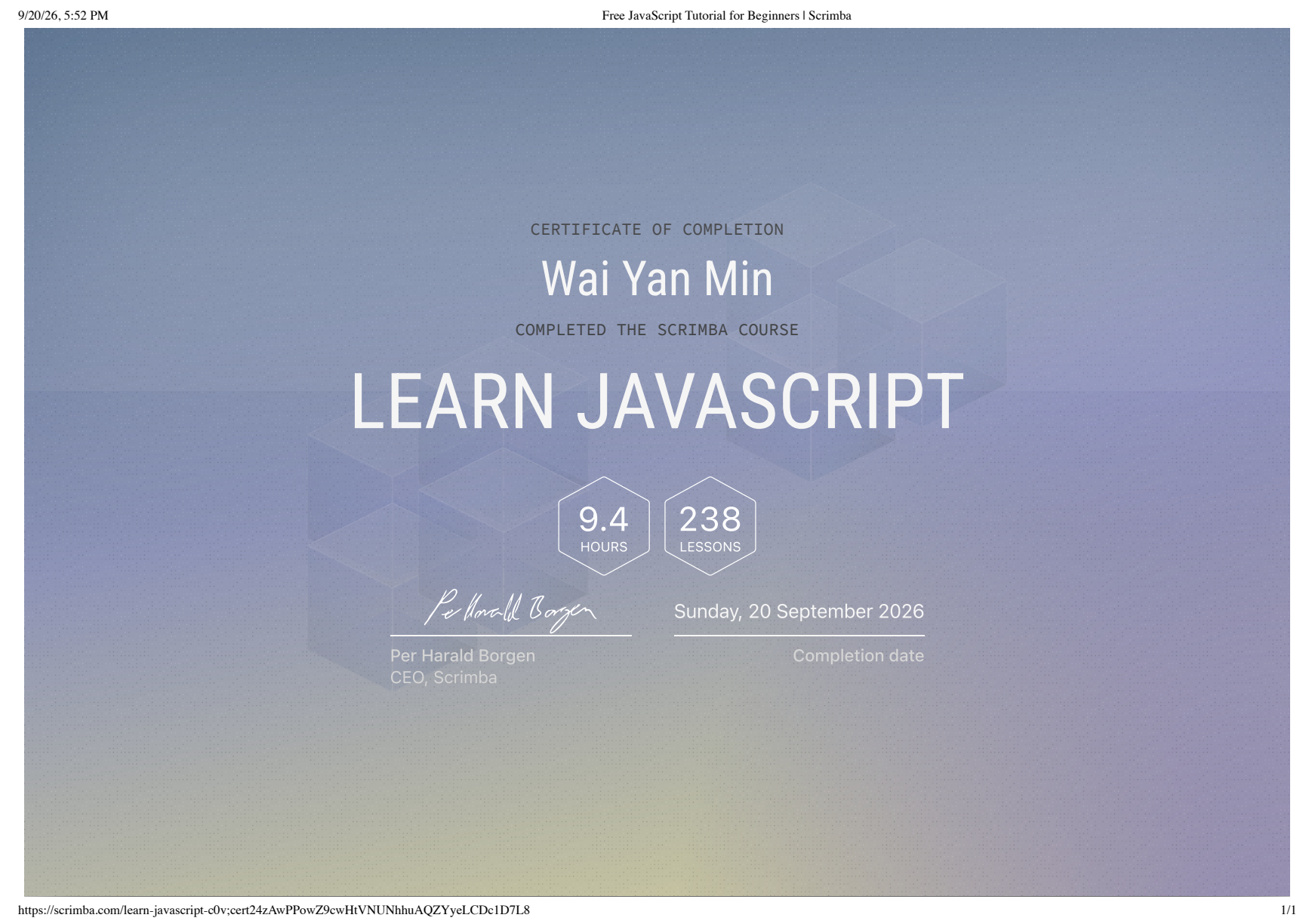
After completing the JavaScript course, I received a completion certificate. More importantly, I reached the point where I fully understood how JavaScript works at a beginner level—and I started enjoying the language. The interactive practice gave me enough confidence to keep building instead of deciding that programming was simply not for me.
“I thought JavaScript was not for me. Scrimba gave me a place to experiment until the language started making sense.”
— My experience learning JavaScriptWhich Scrimba option should you choose?
Choose the option that matches your situation rather than chasing the biggest percentage:
Verified student
Start with the GitHub Student Developer Pack and use the free month to test a focused learning path.
See the student optionNot sure yet
Begin with Scrimba’s free courses, then read the current refund terms before buying Pro.
Review the trial termsReady to commit
Check my 20% partner link and confirm the final price and plan terms at checkout.
See the partner offerStart free, practise interactively, and only pay when the learning format is helping you build.